













Battlefield 6 codes (September 2026) for Playercard Titles, cosmetics, and more
Battlefield 6 codes have had an unlikely resurgence almost a year after the game launched, offering a fresh wave of cosmetic items to customize your game with. These include various exclusive Titles to display on your Playercard, with some tongue-in-cheek options such as "Skill Issue" and "Battledad", but the best news is that the rewards from these BF6 codes are also unlocked in the free-to-play Battlefield Redsec so anyone can use them. To get involved, here are all of the codes for Battlefield 6 and how to redeem them.All Battlefield 6 codes (Image credit: EA) The following BF6 codes can be claimed for rewards:ACE – "Buzz the Tower" Playercard Sticker [179]PHOENIX – "Phoenix Flight" Attack Helicopter Skin [178]AVIATOR – "Top Aviator" Playercard Title [176]GHOSTRIDER – "Ghostrider" Uniform Patch [175]SKILLISSUES4 – "Skill Issue" Playercard Title [172]ILOVEPORTALS4 – "Built Different" Playercard Title [171]BATTLEDADS4 – "Battledad" Playercard Title [170]AKAJOHNS4 – "AKA John" Playercard Title [169] As you can see, there are a decent number of Battlefield 6 codes available that mainly unlock Playercard Titles, though other cosmetics including a uniform patch and a vehicle skin for the Attack Helicopter are also included. The number in brackets shown after each reward represents what is displayed when you redeem each promo through the website.How to redeem Battlefield 6 codes (Image credit: EA) To redeem BF6 codes, you need to visit the official code redemption page and log in with your EA account. Next, click on the REDEEM button and an "Enter your product code" pop up will appear, with a text box to type in a promo before hitting the Next button. You should then see a "Confirm code activation" pop up stating product Battlefield 6 Reward - [xxx] with the number matching the one shown next to the reward on the list above. Use the Confirm button to finish this process and claim your reward, but note that expired codes or promos you have used before will still appear on the activation pop up, and an error message won't appear until you hit that Confirm button. Once claimed, your reward will be available next time you log into Battlefield 6 or Redsec, and confirmed by an inbox message.Expired Battlefield 6 codes TAKEOFF – Standard XP Booster [173] WELCOMES4 – 60-minute Hardware XP Booster [168] There have been a couple of recently expired Battlefield 6 codes, which were both for XP Boosters and these seem to have been cut off faster than the cosmetic rewards. There's no guarantee how long the rest of the promos will remain active for, so make sure you add them to your account now even if you don't currently have access to BF6 or Redsec as they'll be there waiting for you in the future. © GamesRadar+. Not to be reproduced without permission. [/url]
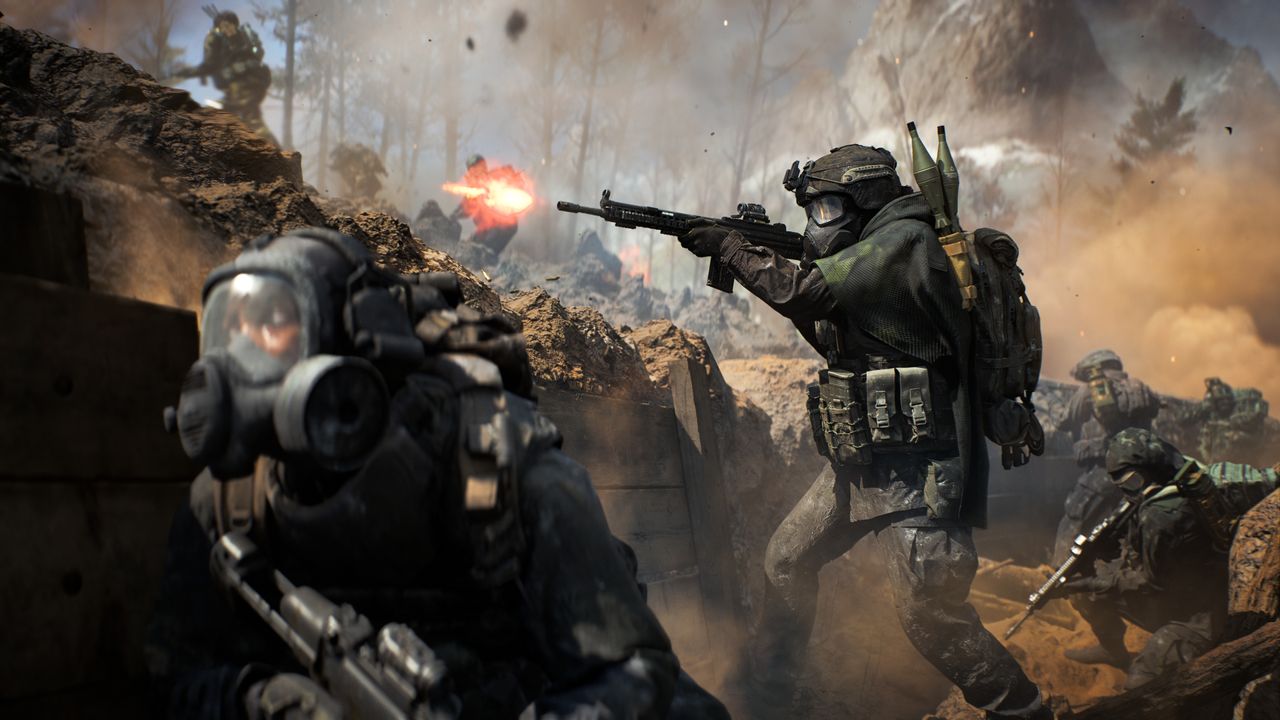 Battlefield 6 codes have had an unlikely resurgence almost a year after the game launched, offering a fresh wave of cosmetic items to customize your game with. These include various exclusive Titles to display on your Playercard, with some tongue-in-cheek options such as "Skill Issue" and "Battledad", but the best news is that the rewards from these BF6 codes are also unlocked in the free-to-play Battlefield Redsec so anyone can use them. To get involved, here are all of the codes for Battlefield 6 and how to redeem them.
All Battlefield 6 codes

(Image credit: EA) The following BF6 codes can be claimed for rewards:
- ACE – "Buzz the Tower" Playercard Sticker [179]
- PHOENIX – "Phoenix Flight" Attack Helicopter Skin [178]
- AVIATOR – "Top Aviator" Playercard Title [176]
- GHOSTRIDER – "Ghostrider" Uniform Patch [175]
- SKILLISSUES4 – "Skill Issue" Playercard Title [172]
- ILOVEPORTALS4 – "Built Different" Playercard Title [171]
- BATTLEDADS4 – "Battledad" Playercard Title [170]
- AKAJOHNS4 – "AKA John" Playercard Title [169]
How to redeem Battlefield 6 codes

(Image credit: EA) To redeem BF6 codes, you need to visit the official code redemption page and log in with your EA account. Next, click on the REDEEM button and an "Enter your product code" pop up will appear, with a text box to type in a promo before hitting the Next button. You should then see a "Confirm code activation" pop up stating product Battlefield 6 Reward - [xxx] with the number matching the one shown next to the reward on the list above.
Use the Confirm button to finish this process and claim your reward, but note that expired codes or promos you have used before will still appear on the activation pop up, and an error message won't appear until you hit that Confirm button. Once claimed, your reward will be available next time you log into Battlefield 6 or Redsec, and confirmed by an inbox message.
Expired Battlefield 6 codes
- TAKEOFF – Standard XP Booster [173]
- WELCOMES4 – 60-minute Hardware XP Booster [168]
© GamesRadar+. Not to be reproduced without permission.
[/url]

Jat AI
Stay informed with the latest in artificial intelligence. Jat AI News Portal is your go-to source for AI trends, breakthroughs, and industry analysis. Connect with the community of technologists and business professionals shaping the future.