![[Notice] Maintenance | Oct. 20 (PDT) / Oct. 21 (CEST)](https://clan.fastly.steamstatic.com/images/46074831/42a35e91d34a1a0170d629fa536e14a644fabb51.png?#)



















Founder's Access Pre-Download Instructions Nexon Launcher and Steam
Founder’s Access for MapleStory Classic World kicks off on Tuesday, October 6, 2026 at 11:00 AM PDT (2:00 PM EDT / 8:00 PM CEST / 4:00 AM AEST October 7), and we want to ensure you can jump into the game the exact moment servers go live! To help you avoid long wait times on launch day, here is your essential preparation guide. Step 1: Choose Your PlatformBefore you start prepping your files, it is important to choose the platform that works best for your hard drive space.Nexon Launcher (Recommended for Storage): The official Nexon Launcher allows you to download MapleStory Classic World as a smaller, standalone client. You do not need to install MapleStory to play MapleStory Classic World.Steam: Due to Steam’s technical framework, MapleStory and MapleStory Classic World are packaged together as a single, unified build. This requires a much larger download, as you must install the base game to access MapleStory Classic World.Step 2: Pre-Download Your GameOnce you have chosen your platform, you can start prepping your files today so you aren't stuck downloading on launch day. Playing via the Nexon Launcher:Since the MapleStory Classic World game client cannot be downloaded until launch day, you can save time by getting your Nexon Launcher ready right now. Download and install the official Nexon Launcher from the Nexon website.Log in with your Nexon account.On Launch Day: Locate MapleStory in your library, select the MapleStory Classic World toggle, and download the standalone client.Note: The MapleStory Classic World option won’t be available until Founder’s Access launch day.Playing via Steam: Because the games are bundled, having the base game fully installed and updated right now will drastically reduce your required patch size when Founder's Access begins. Open your Steam Library and locate MapleStory.Click 'Install' and select your preferred drive.Allow the base download to finish completely and let Steam apply any pending updates.Note: The MapleStory Classic World option won’t be available until Founder’s Access launch day.Step 3: Prepare and Link Your AccountTo play MapleStory Classic World on either platform, you will need a verified Nexon account. If you need a new Nexon account: Head to the Nexon website and register.Check your inbox and verify your email address.Steam Users: Link Your Accounts If you are playing on Steam, your Nexon account must be linked to your Steam profile. We highly recommend doing this now so you are ready for launch. Via Web (Recommended): Log into your Nexon account on the official website, navigate to your Account Settings, and link your Steam profile directly from your browser without waiting for the game to download.Via Steam: Launch MapleStory through Steam once your download finishes. When prompted, sign in with your Nexon credentials to confirm the link between your accounts.Please head to our FAQ page here for more information!
 Founder’s Access for MapleStory Classic World kicks off on Tuesday, October 6, 2026 at 11:00 AM PDT (2:00 PM EDT / 8:00 PM CEST / 4:00 AM AEST October 7), and we want to ensure you can jump into the game the exact moment servers go live! To help you avoid long wait times on launch day, here is your essential preparation guide.
Step 1: Choose Your Platform
Before you start prepping your files, it is important to choose the platform that works best for your hard drive space.
Nexon Launcher (Recommended for Storage): The official Nexon Launcher allows you to download MapleStory Classic World as a smaller, standalone client. You do not need to install MapleStory to play MapleStory Classic World.
Steam: Due to Steam’s technical framework, MapleStory and MapleStory Classic World are packaged together as a single, unified build. This requires a much larger download, as you must install the base game to access MapleStory Classic World.
Step 2: Pre-Download Your Game
Once you have chosen your platform, you can start prepping your files today so you aren't stuck downloading on launch day.
Playing via the Nexon Launcher:
Since the MapleStory Classic World game client cannot be downloaded until launch day, you can save time by getting your Nexon Launcher ready right now.
Download and install the official Nexon Launcher from the Nexon website.
Log in with your Nexon account.
On Launch Day: Locate MapleStory in your library, select the MapleStory Classic World toggle, and download the standalone client.
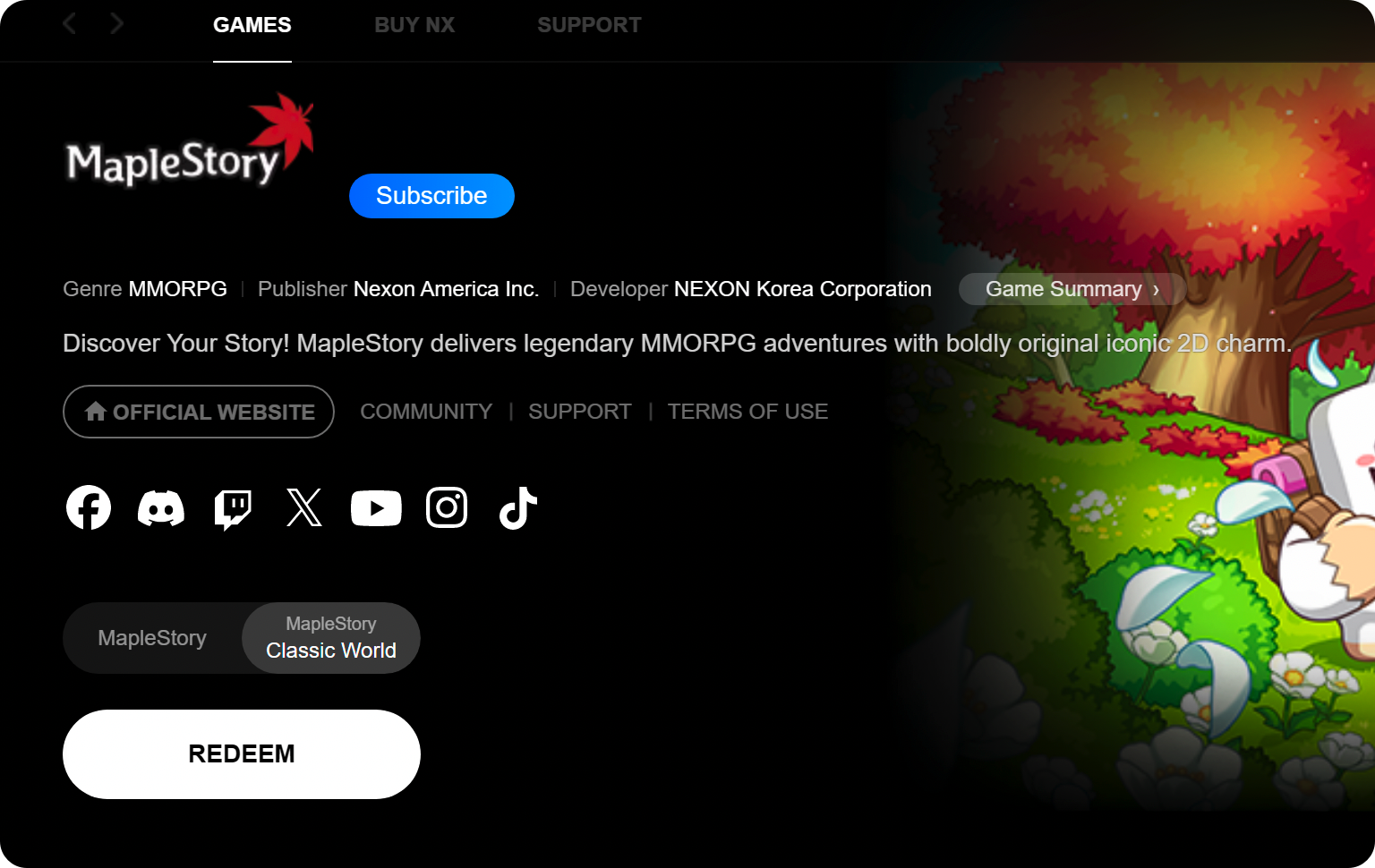 Note: The MapleStory Classic World option won’t be available until Founder’s Access launch day.
Playing via Steam:
Because the games are bundled, having the base game fully installed and updated right now will drastically reduce your required patch size when Founder's Access begins.
Open your Steam Library and locate MapleStory.
Click 'Install' and select your preferred drive.
Allow the base download to finish completely and let Steam apply any pending updates.
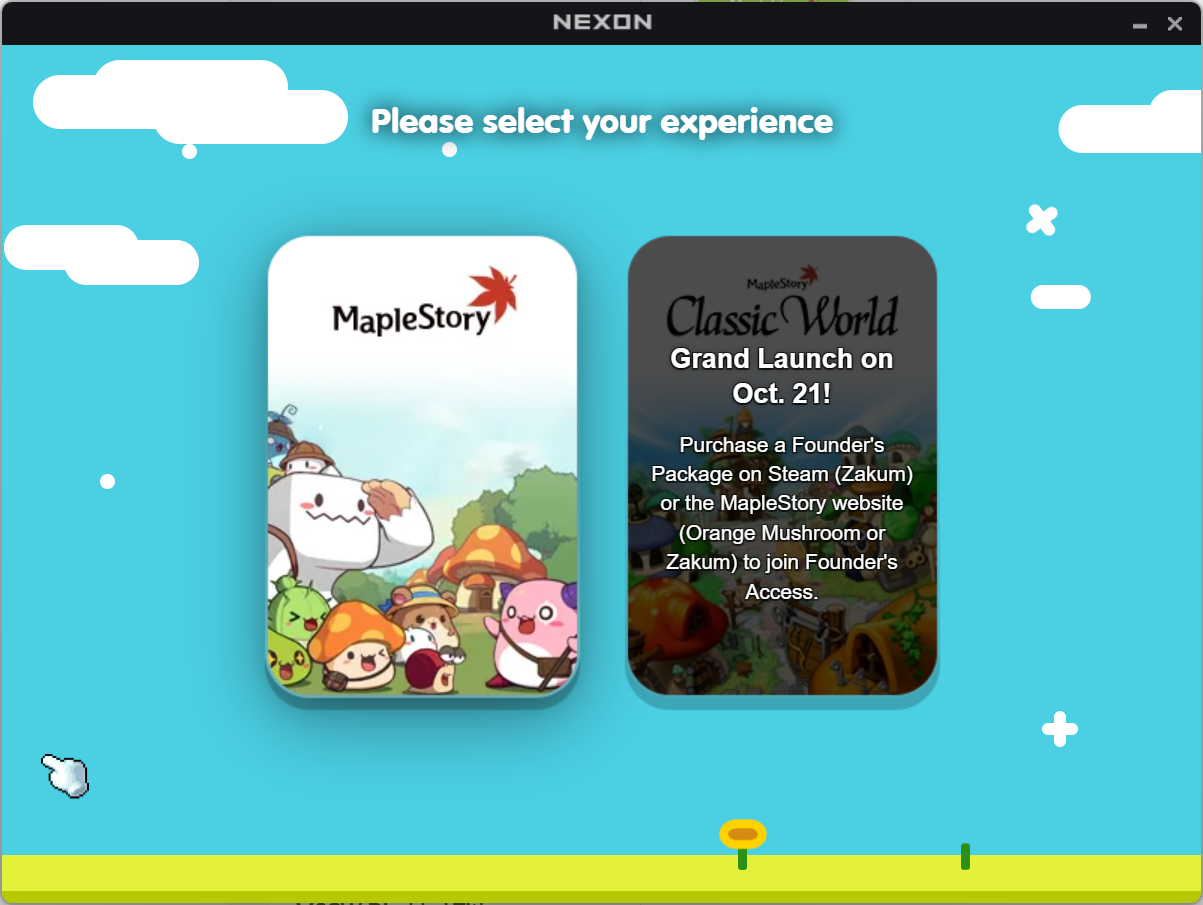 Note: The MapleStory Classic World option won’t be available until Founder’s Access launch day.
Step 3: Prepare and Link Your Account
To play MapleStory Classic World on either platform, you will need a verified Nexon account. If you need a new Nexon account:
Head to the Nexon website and register.
Check your inbox and verify your email address.
Steam Users: Link Your Accounts
If you are playing on Steam, your Nexon account must be linked to your Steam profile. We highly recommend doing this now so you are ready for launch.
Via Web (Recommended): Log into your Nexon account on the official website, navigate to your Account Settings, and link your Steam profile directly from your browser without waiting for the game to download.
Via Steam: Launch MapleStory through Steam once your download finishes. When prompted, sign in with your Nexon credentials to confirm the link between your accounts.