





NVIDIA Nemotron 3.5 Super VL is now available in Amazon SageMaker JumpStart
NVIDIA Nemotron 3.5 Super VL, a 120B-parameter multimodal vision-language model, is now available in Amazon SageMaker JumpStart. Deploy the NVFP4 or BF16 variant in a few steps, then run text, image, and video inference for document intelligence, computer-use agents, and multimodal agentic workloads.
Today, we’re announcing that NVIDIA Nemotron 3.5 Super VL is available in Amazon SageMaker JumpStart. You can deploy it with a few steps in SageMaker Studio or with a few lines of the SageMaker Python SDK. Super VL is the vision-language model (VLM) in the NVIDIA Nemotron 3.5 family. It accepts images, video, and text as input and generates text.
The model pairs a 120B-parameter hybrid Mixture-of-Experts (MoE) language backbone with 12B active parameters and a C-RADIO vision encoder. It supports context lengths of up to 1 million tokens and includes a built-in Multi-Token Prediction (MTP) head that supports speculative decoding. You can configure reasoning per request.
NVIDIA built Super VL for document intelligence, GUI understanding for computer-use agents, video question answering, and multimodal agentic applications. JumpStart offers two variants: NVFP4, quantized from BF16 with quantization-aware distillation for optimized inference, and the BF16 full-precision reference weights. In this post, we walk through the model’s capabilities and the JumpStart deployment configurations. We then show the measured inference performance and demonstrate text, image, and video inference.
Model overview
Nemotron 3.5 Super VL is a 120B-parameter model with 12B active parameters per token. It combines a hybrid language backbone with a dedicated vision encoder.
- Language backbone: 88 layers that interleave Mamba-2 and MoE layers (512 routed experts, 22 active per token) with 8 attention layers, plus a shared MTP head. The backbone is initialized from Nemotron 3 Super Base and distilled from Nemotron 3 Ultra Base.
- Vision encoder: A C-RADIO vision encoder encodes images and sampled video frames, and a vision-language connector maps them into the language backbone’s embedding space. The encoder and connector stay in BF16 in both variants.
- Training: The model first goes through continued pre-training, long-context and software-engineering mid-training, and vision-language training. It then goes through two-stage multimodal supervised fine-tuning (SFT) on vision, reasoning, code, tool, chat, safety, and long-context data. Next come reinforcement learning (RL) with verifiable rewards and human feedback in NeMo RL and NeMo Gym, multi-teacher on-policy distillation, and a final stage that further trains the MTP head. The NVFP4 checkpoint is produced from BF16 with NVIDIA Model Optimizer and quantization-aware distillation. It keeps the vision encoder, connector, Mamba convolutions, and embeddings in BF16 and the MoE router in FP32. It runs with 4-bit weights and activations (W4A4) on Blackwell GPUs.
The following table compares the specifications of the two variants available in JumpStart.
| Specification | NVFP4 | BF16 |
| Parameters | 120B total, 12B active | 120B total, 12B active |
| Intended for | Optimized inference (latency and throughput) | Full-precision reference weights for customization: SFT, RL, distillation, domain adaptation, and custom quantization |
| Inputs / output | Image, video, text / text | Image, video, text / text |
| Context length | Up to 1M tokens (JumpStart serving configurations use 520 to 15,600 tokens) | Same |
| Checkpoint size | About 75 GB | About 249 GB |
| JumpStart instances | ml.g7.24xlarge (default), ml.g7.48xlarge | ml.p5en.48xlarge |
| Speculative decoding | Built-in MTP head. Not enabled in the JumpStart serving configuration | Same |
| LoRA adapter serving | No | No |
| Languages | English, French, German, Italian, Japanese, Spanish, Chinese | Same |
| Reasoning | On by default. Configurable with enable_thinking |
Same |
| Outputs | Tool calling, JSON schema output, configurable reasoning | Same |
| License | OpenMDW License Agreement, version 1.1 | Same |
Key use cases
Super VL is aimed at agentic workloads that must see and read. It targets vision-language agents that combine reasoning, coding, tool use, document understanding, and video understanding.
- Document intelligence: Optical character recognition (OCR), charts, tables, and multipage documents. Each 1,536 x 1,024 page image costs about 1,536 tokens of context. The JumpStart serving configuration accepts one image and one video per request.
- GUI understanding: Screen grounding and reasoning for computer-use agents that navigate applications.
- Video understanding: Analyze and summarize short MP4 video clips, including answering questions about visual content. You can provide videos inline as base64-encoded content, subject to the endpoint’s request payload size limits.
- Multimodal agents: Tool calling, JSON schema output through
response_format, and configurable reasoning support multimodal agent workflows. - Customization (BF16): Download the BF16 reference weights for SFT, RL, distillation, domain adaptation, or creating your own quantized variants. The JumpStart endpoint serves the base weights only and does not load LoRA adapters.
Model-quality benchmarks
The NVIDIA model cards report results for both checkpoints across reasoning, coding, agentic, long-context, and multimodal benchmarks, with evaluation settings held constant so that only the checkpoint differs. The following table highlights the multimodal benchmarks most relevant to vision-language workloads (reasoning on).
| Benchmark | Capability | BF16 | NVFP4 |
| MMLongBench-Doc | Long-document multimodal understanding | 62.82 | 62.82 |
| OCRBench v2, EN | OCR and document understanding | 68.12 | 68.34 |
| CharXiv reasoning | Chart and figure reasoning | 80.82 | 79.88 |
| Video-MME v2 | Video understanding | 32.85 | 32.54 |
| OSWorld-Verified | Visual computer use and agentic tasks | 51.14 | 52.30 |
NVFP4, the JumpStart default, matches BF16 on MMLongBench-Doc and stays within about one point on the others, scoring slightly higher on OCRBench v2 and OSWorld-Verified. For the full comparison against other publicly available models and the evaluation settings, see the NVIDIA Nemotron 3.5 Super VL and Lightning Technical Report.
Inference performance on SageMaker JumpStart
We measured inference performance with the JumpStart release container using the generate workload profile: 250 input tokens, 1,500 output tokens, and five concurrent streaming requests. Throughput is the mean output tokens per second for each request, and time to first token is the mean across requests.
| Instance type | Variant | Output throughput per request (mean) | Time to first token (mean) |
| ml.g7.24xlarge | NVFP4 | 63.07 tokens/sec | 0.45 sec |
| ml.g7.48xlarge | NVFP4 | 64.01 tokens/sec | 0.51 sec |
| ml.p5en.48xlarge | BF16 | 140.85 tokens/sec | 0.53 sec |
These results illustrate the deployment choices available through JumpStart. The NVFP4 variant runs on G7 instances with a smaller GPU footprint. The BF16 variant on ml.p5en.48xlarge achieved 140.85 output tokens per second per request in this test. Time to first token remained about half a second across all three configurations. Because the variants run on different GPU systems and configurations, these measurements are not an isolated BF16-versus-NVFP4 precision comparison. Longer prompts change the picture: with the summarize profile (10,000 input tokens), time to first token on ml.g7.24xlarge is 12.62 seconds.
Supported instances
SageMaker JumpStart supports Nemotron 3.5 Super VL on the following validated instance types. NVFP4 runs on G7 instances with NVIDIA RTX PRO 4500 Blackwell Server Edition GPUs, and BF16 runs on P5en instances with NVIDIA H200 GPUs. The JumpStart default instance for NVFP4 is ml.g7.24xlarge, which serves as the recommended starting point for the generate profile.
| Variant | Instance type | GPUs | GPU memory | Tensor parallel |
| NVFP4 | ml.g7.24xlarge (default) | 4x NVIDIA RTX PRO 4500 Blackwell Server Edition | 128 GB | 4 |
| NVFP4 | ml.g7.48xlarge | 8x NVIDIA RTX PRO 4500 Blackwell Server Edition | 256 GB | 8 |
| BF16 | ml.p5en.48xlarge | 8x NVIDIA H200 | 1,128 GB | 8 |
The checkpoint includes the MTP head, but the JumpStart serving configuration does not enable speculative decoding.
Deploy Nemotron 3.5 Super VL with SageMaker JumpStart
You can deploy the model from SageMaker Studio, with the SageMaker Python SDK, or from the Hugging Face model page.
Prerequisites
Before you deploy, make sure you have the following:
- An AWS account with permissions to create Amazon SageMaker AI endpoints.
- An AWS Identity and Access Management (IAM) role with access to SageMaker AI.
- Service quota for ml.g7.24xlarge, ml.g7.48xlarge, or ml.p5en.48xlarge endpoint usage. The ml.g7 quotas start at zero in new accounts, so request an increase through Service Quotas before you deploy.
- For the SDK path, the SageMaker Python SDK v3 (version 3.25 or later).
Deploy from SageMaker Studio
To deploy the model from SageMaker Studio, complete the following steps:
- Open SageMaker Studio and, in the navigation pane, choose JumpStart.
- In the search bar, enter Nemotron 3.5 Super VL. The search results list both variants, as shown in the following screenshot.
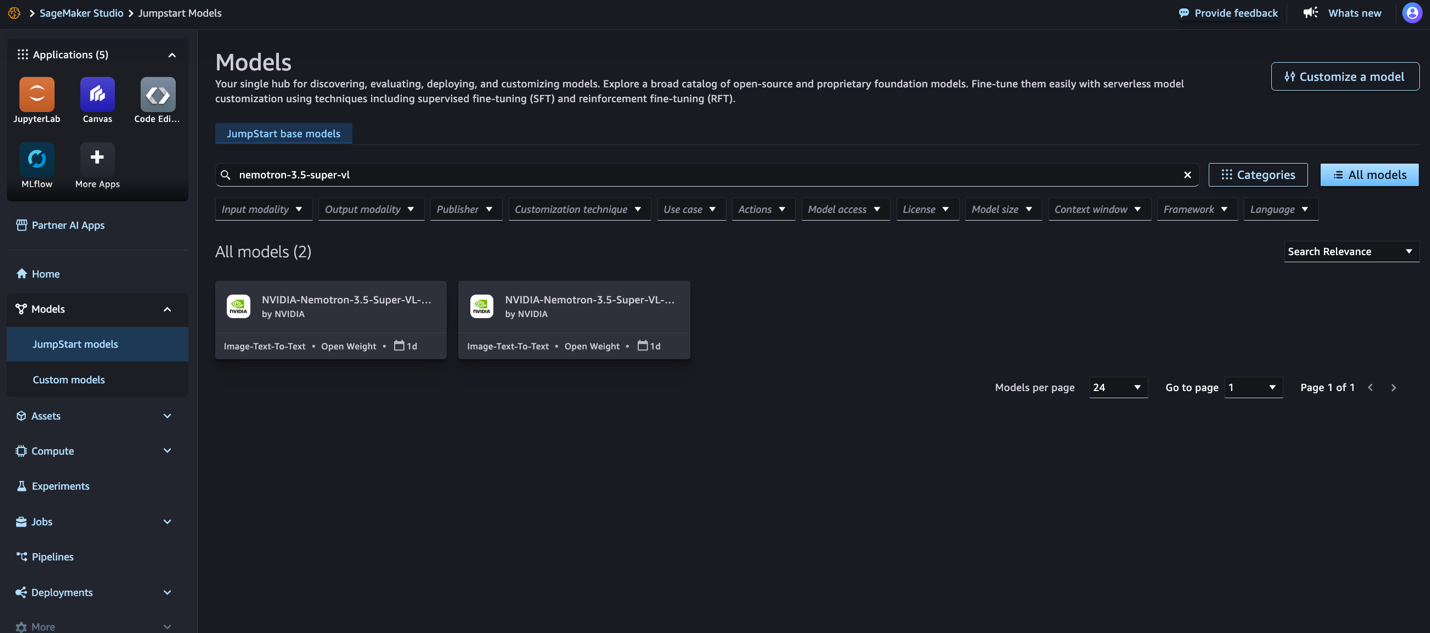
Figure 1: Searching for NVIDIA Nemotron 3.5 Super VL in SageMaker JumpStart
- Choose the model card for the variant you want to deploy. Choose NVFP4 for optimized inference on G7 instances. The following screenshot shows the NVFP4 model card.
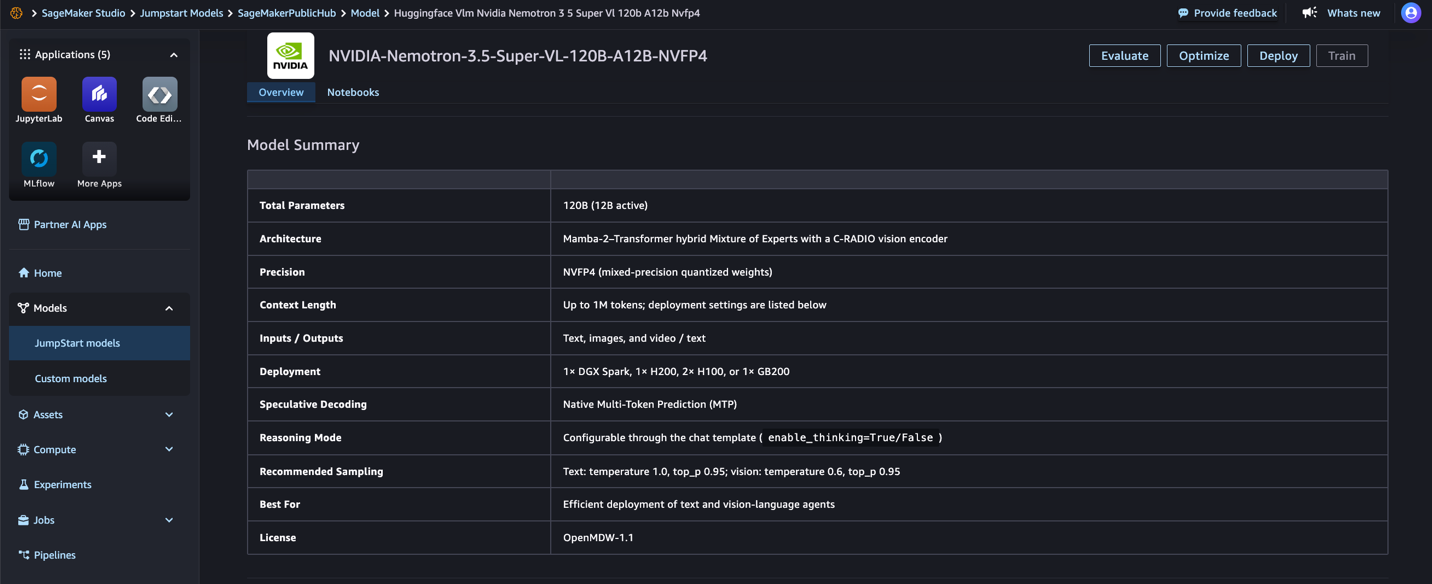
Figure 2: NVIDIA Nemotron 3.5 Super VL NVFP4 model card in SageMaker JumpStart
Choose BF16 if you need the full-precision reference weights on ml.p5en.48xlarge. The following screenshot shows the BF16 model card.
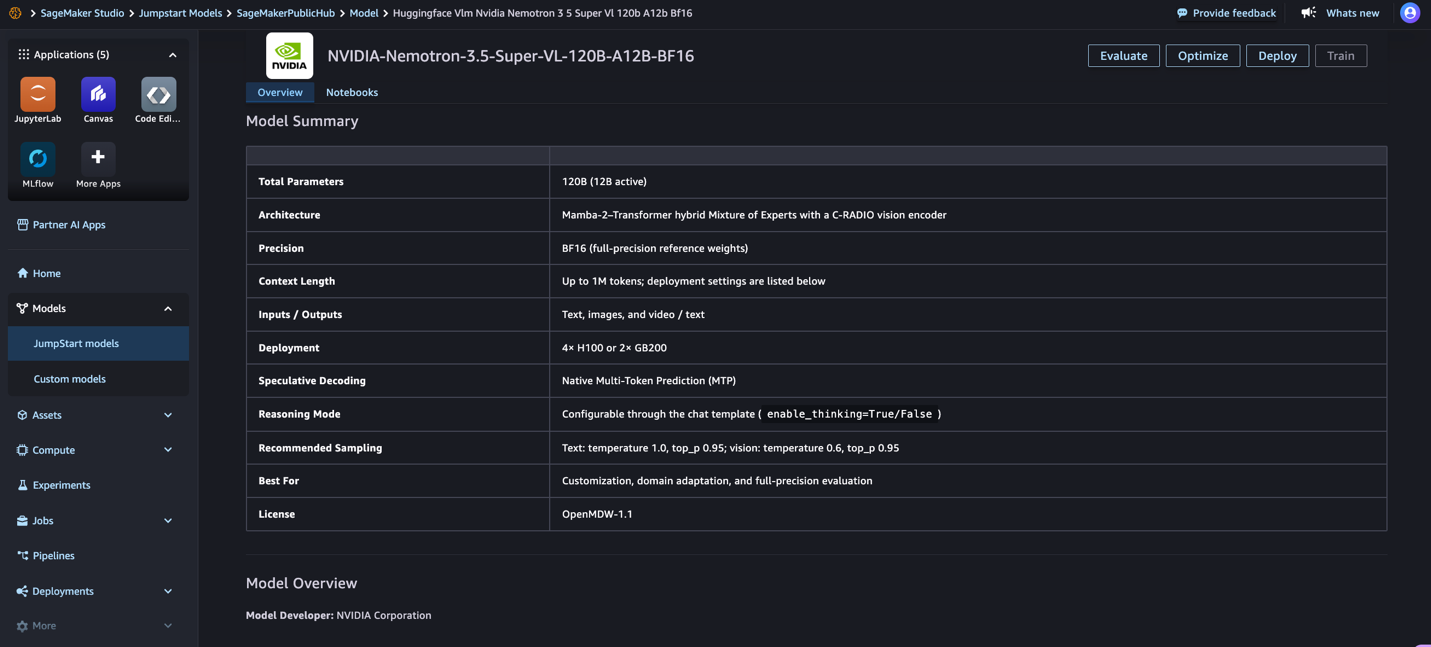
Figure 3: NVIDIA Nemotron 3.5 Super VL BF16 model card in SageMaker JumpStart
- On the model card, review the model details and license terms, then choose Deploy. The following screenshot shows the model details you can review before deployment.
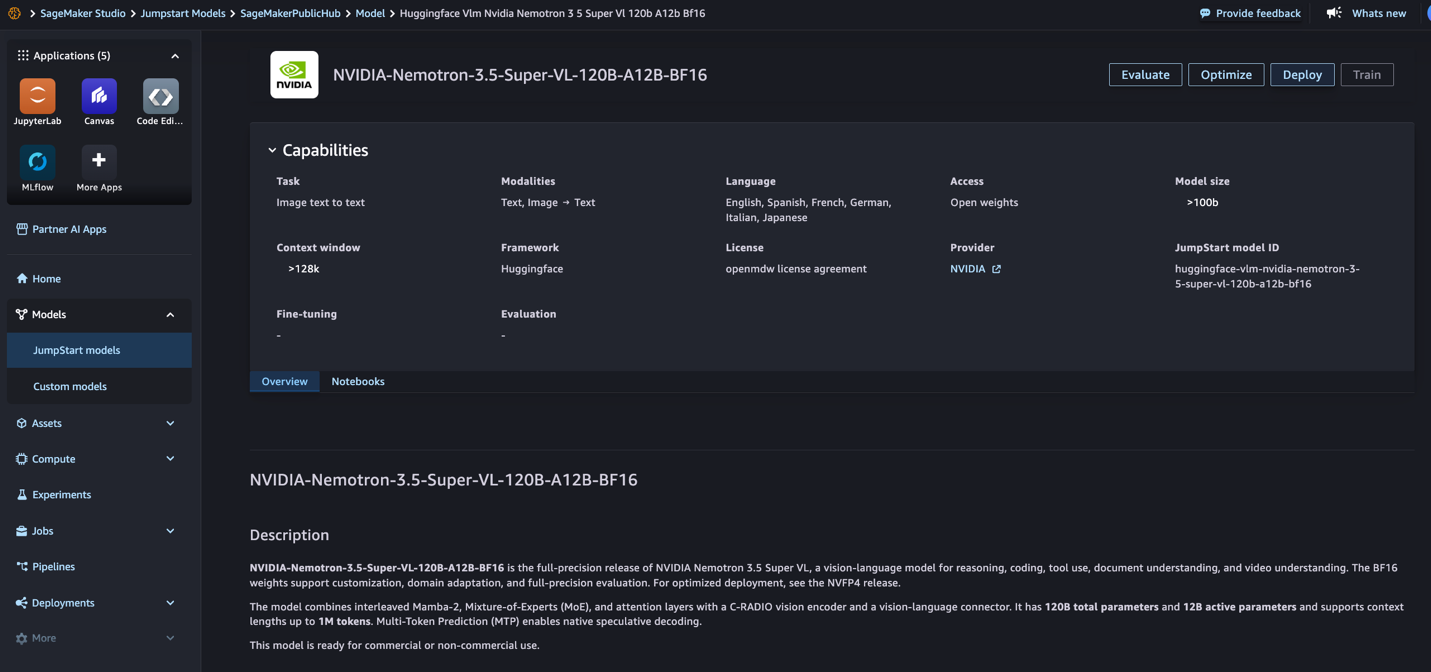
Figure 4: Reviewing Nemotron 3.5 Super VL capabilities and model details before deployment
- For Instance type, keep the default (ml.g7.24xlarge for NVFP4 or ml.p5en.48xlarge for BF16), or choose another supported instance type. Then choose Deploy.
- Wait for the endpoint status to change to InService before you invoke the model. Deployment takes about 10 minutes on ml.g7.24xlarge. The following screenshot shows a deployment in progress.
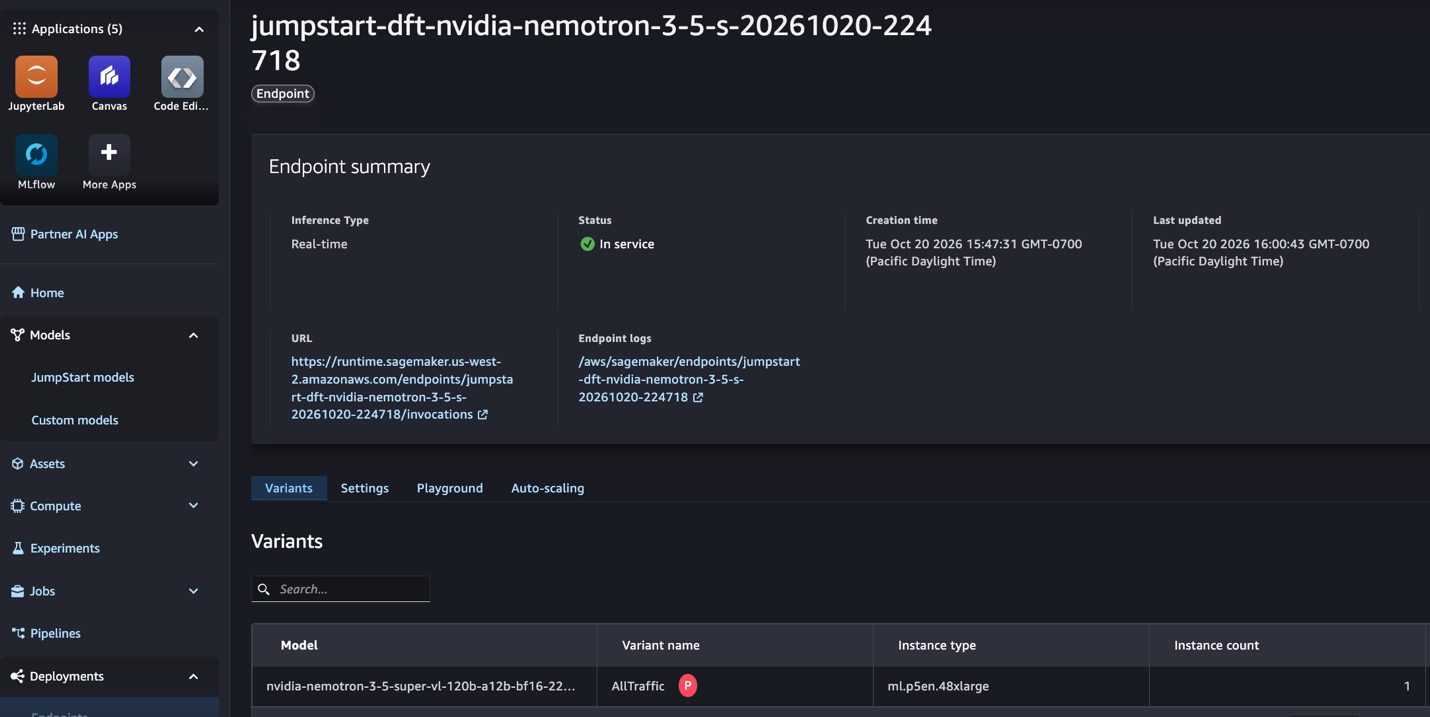
Figure 5: SageMaker endpoint deployment in progress before the status reaches InService
Deploy with the SageMaker Python SDK
The example uses the SageMaker Python SDK v3 classes: JumpStartConfig names the model, ModelBuilder builds and deploys it, and deploy returns an Endpoint resource. Pass the instance type in Compute, because the SDK falls back to ml.m5.large when the instance type is absent, and the build then fails. The deploy call waits until the endpoint is InService, which takes about 10 minutes on ml.g7.24xlarge.
The inference_config_name argument selects a serving configuration, and each configuration sets a different context length. The default generate configurations serve a 2,275-token context sized for short prompts. The summarize configurations serve 13,650 tokens, and the modify configurations serve 15,600 tokens. The example uses a modify configuration because the inference examples in this post, especially image, video, and reasoning requests, need the larger context. All the inference examples that follow assume the modify configuration.
Deploy from Hugging Face
You can also deploy the model from its Hugging Face model page: choose Deploy, then Amazon SageMaker AI, and continue to the SageMaker deployment workflow.
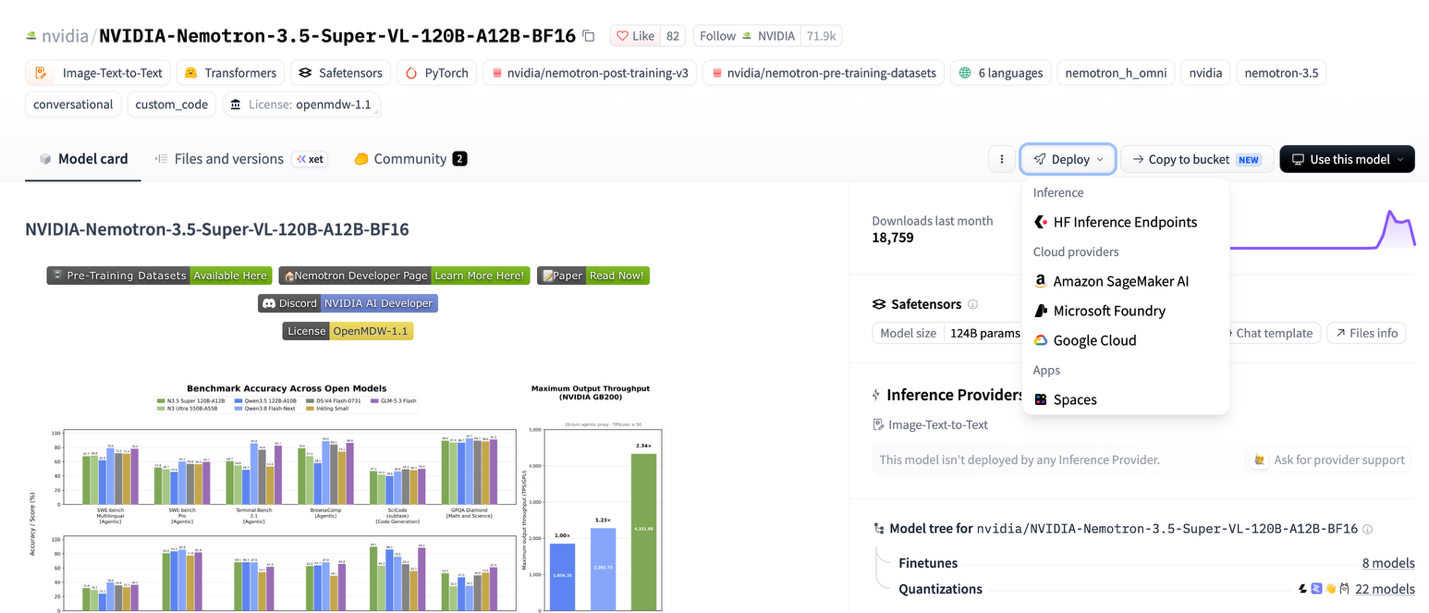
Figure 6: NVIDIA Nemotron 3.5 Super VL model page on Hugging Face with the Deploy menu
On the deployment menu, choose Amazon SageMaker AI to open the SageMaker deployment workflow, as shown in the following screenshot.
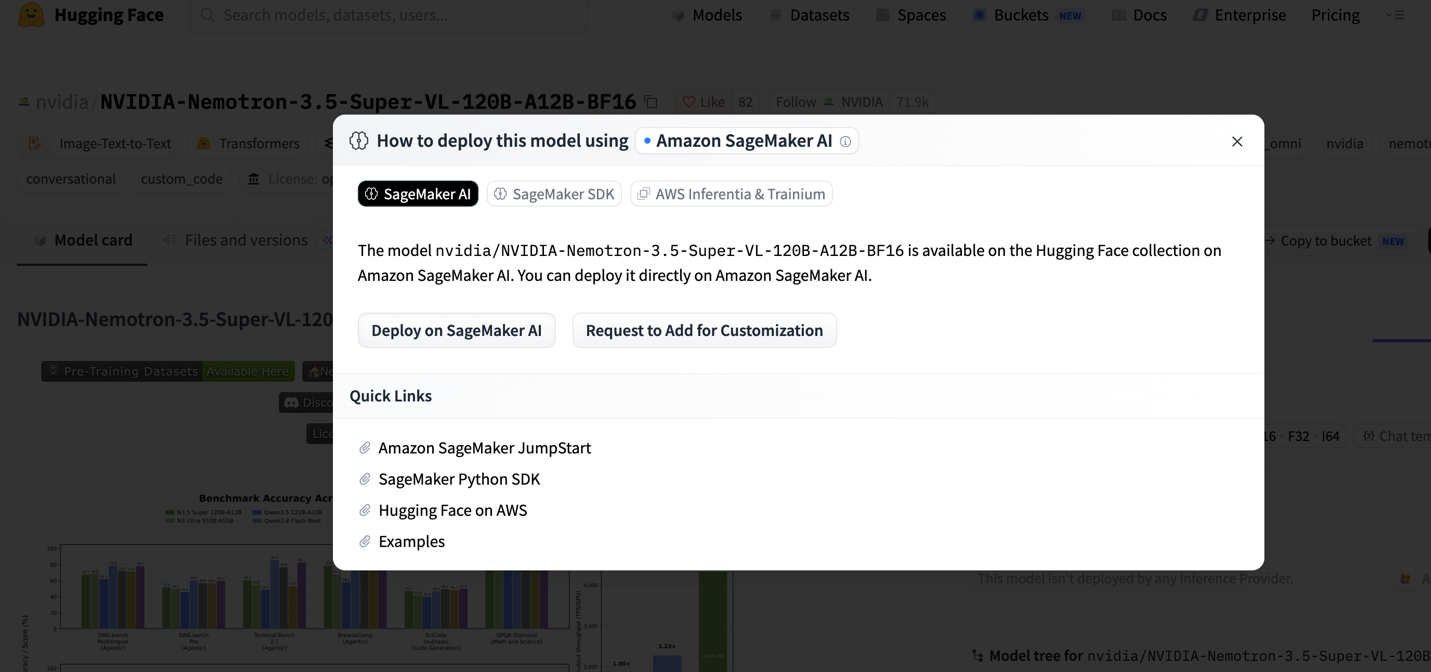
Figure 7: Selecting Amazon SageMaker AI from the Hugging Face deployment workflow
After the endpoint is InService, you can send inference requests to it.
Run inference
The JumpStart endpoint exposes a vLLM-powered chat completions API, so applications can send inference requests using a familiar chat-message format. NVIDIA recommends temperature 1.0 and top_p 0.95 for text, and temperature 0.6 and top_p 0.95 for image and video requests. You must send media inline as base64 data URLs because the endpoint runs with network isolation and cannot fetch URLs.
Text, with reasoning on
Reasoning is on by default, and you can configure it per request. The reasoning text is returned in the reasoning field of the message, separate from content.
Image, with reasoning off
For direct extraction-style tasks, you can disable reasoning with enable_thinking=False in chat_template_kwargs.
The model accepts images rather than raw PDF files. To process a PDF, render each page to an image such as PNG before sending it to the model. A 1,536 x 1,024 page costs about 1,536 tokens of context, and one request can carry one image.
Video
The following example sends a short MP4 clip as a base64-encoded data URL and asks the model to summarize it, with reasoning disabled for a direct response.
For video inference, use short, compressed clips and keep the encoded request within the endpoint’s supported payload limits. For reasoning-intensive video requests, set max_tokens high enough to allow the model to complete its reasoning while considering response length and endpoint invocation limits.
Best practices
Consider the following recommendations when you run Nemotron 3.5 Super VL on SageMaker JumpStart:
- Media inputs: The model accepts images rather than raw PDF files, so render PDF pages to images first.
- Video configuration: Frame sampling is set when the endpoint launches, not per request. The JumpStart endpoint uses the vLLM default sampling and rejects per-request
media_io_kwargs. - Video with reasoning: Set
max_tokensto at least 8,192 for video with reasoning enabled, or disable reasoning when you want a direct response. - Context budget:
max_tokenscaps the completion. Prompt and completion together must fit in the serving configuration’s model length: 2,275 tokens for the generate configurations, 520 for interact, 13,650 for summarize, and 15,600 for modify. Images and video frames also consume context. - Multipage documents: The JumpStart serving configuration accepts one image per request. Send one page per request, or stitch pages into one image, and check the context budget.
- Reasoning mode: Use reasoning for multi-step analysis and agentic tasks. Disable it for extraction or captioning when you want a shorter, direct response.
- Sampling: Start with temperature 1.0 and
top_p0.95 for text, and temperature 0.6 andtop_p0.95 for image and video, as NVIDIA recommends.
Clean up
To avoid ongoing charges, delete the endpoint, the endpoint configuration, and the model when you are done:
Conclusion
NVIDIA Nemotron 3.5 Super VL brings image, video, and document understanding to SageMaker JumpStart. The NVFP4 variant is available on G7 instances with NVIDIA RTX PRO 4500 Blackwell Server Edition GPUs. The BF16 variant is available on ml.p5en.48xlarge with NVIDIA H200 GPUs. Choose NVFP4 for optimized inference with model quality close to the BF16 checkpoint, or BF16 when you want the full-precision reference weights. To get started, open SageMaker JumpStart in SageMaker Studio or use the SageMaker Python SDK.
To learn more, see SageMaker JumpStart pretrained models in the Amazon SageMaker AI Developer Guide and the Nemotron 3.5 Super VL technical report.
About the authors