






















How to get a fully functional Fabricator in Subnautica 2
Early on in your Subnautica 2 playthrough, you'll notice that you don't have full access to your Fabricator. Instead, it's a jailbroken version that only gives you early-game recipes. If you want to experience the game in its entirety, you'll need a fully functional Fabricator. However, there's no immediate way to fix the Fabricator or a quick button that transforms it. Instead, you'll need to use a creative solution. Here's a complete step-by-step to building a fully functional Fabricator in Subnautica 2.Table of contentsHow to fix “Requires Fully Functional Fabricator” in Subnautica 2How to craft a Habitat Builder toolHow to build a FabricatorHow to fix “Requires Fully Functional Fabricator” in Subnautica 2 You won't be able to fix the Fabricator within your Lifepod. Instead, you'll need to progress through Subnautica 2 enough to unlock the Habitat Builder tool so that you can build your own Fabricator, fully equipped with every blueprint recipe you unlock throughout your playthrough.How to craft a Habitat Builder tool Before you can craft your Habitat Builder tool, you'll first need to make a Survival Multitool and Scanner in your Lifepod's Fabricator. You can craft the multitool using three titanium, while the scanner requires the following materials:Titanium (2)Quartz (2)Basic Battery (1) You'll naturally find titanium and quartz as you explore the ocean. The battery is a recipe that requires two copper and one Acidic Raion Pouch. Copper is trickier to find, as it usually appears in side caves, while Acidic Raion Pouches come from pink Acid Raion plants within caves. You'll need the multitool to break off its pouches. Once you have the required materials to make your scanner, you'll need to find old Habitat Builder tools in caves or at the Digestion Angel Comb. Once you've scanned at least two, you'll unlock the Habitat Builder tool blueprint, allowing you to make it at your Fabricator. Screenshot by Destructoid You'll need the following materials to make the Habitat Builder tool:Titanium (2)Glass (1)Basic Battery (1)Copper Wire (1) While its items differ from the last two tools, their required materials—copper, titanium, and quartz—remain the same.How to build a Fabricator Once you build your Habitat Builder tool, you'll need to build a base, construct a Fabricator, and power it. Here's an easy way to accomplish this:Open your Habitat Builder tool's menu and place a corridor anywhere that you'd like to build your base. Each corridor costs two titanium.Connect a hatch to the corridor using one titanium and one quartz. Build a Fabricator inside using one titanium, one copper, and one quartz. Build at least one solar panel using one titanium and two quartz. If it's nighttime, you may need to build a second panel. Once you build your base, place some power sources, and create your Fabricator, you'll be ready to unlock any crafting recipes that your Lifepod's Fabricator locked behind the “requires Fully Functional Fabricator” error message. The post How to get a fully functional Fabricator in Subnautica 2 appeared first on Destructoid.
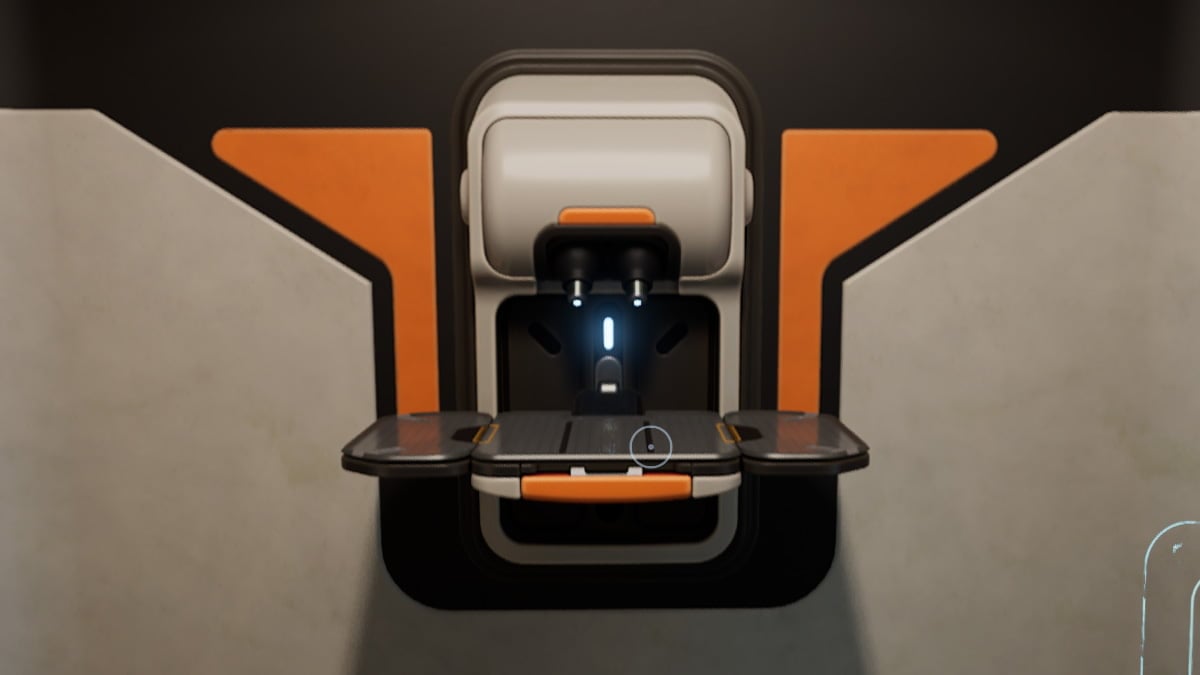
Early on in your Subnautica 2 playthrough, you'll notice that you don't have full access to your Fabricator. Instead, it's a jailbroken version that only gives you early-game recipes. If you want to experience the game in its entirety, you'll need a fully functional Fabricator.
However, there's no immediate way to fix the Fabricator or a quick button that transforms it. Instead, you'll need to use a creative solution. Here's a complete step-by-step to building a fully functional Fabricator in Subnautica 2.
Table of contents
How to fix “Requires Fully Functional Fabricator” in Subnautica 2
You won't be able to fix the Fabricator within your Lifepod. Instead, you'll need to progress through Subnautica 2 enough to unlock the Habitat Builder tool so that you can build your own Fabricator, fully equipped with every blueprint recipe you unlock throughout your playthrough.How to craft a Habitat Builder tool
Before you can craft your Habitat Builder tool, you'll first need to make a Survival Multitool and Scanner in your Lifepod's Fabricator. You can craft the multitool using three titanium, while the scanner requires the following materials:- Titanium (2)
- Quartz (2)
- Basic Battery (1)
Once you have the required materials to make your scanner, you'll need to find old Habitat Builder tools in caves or at the Digestion Angel Comb. Once you've scanned at least two, you'll unlock the Habitat Builder tool blueprint, allowing you to make it at your Fabricator.
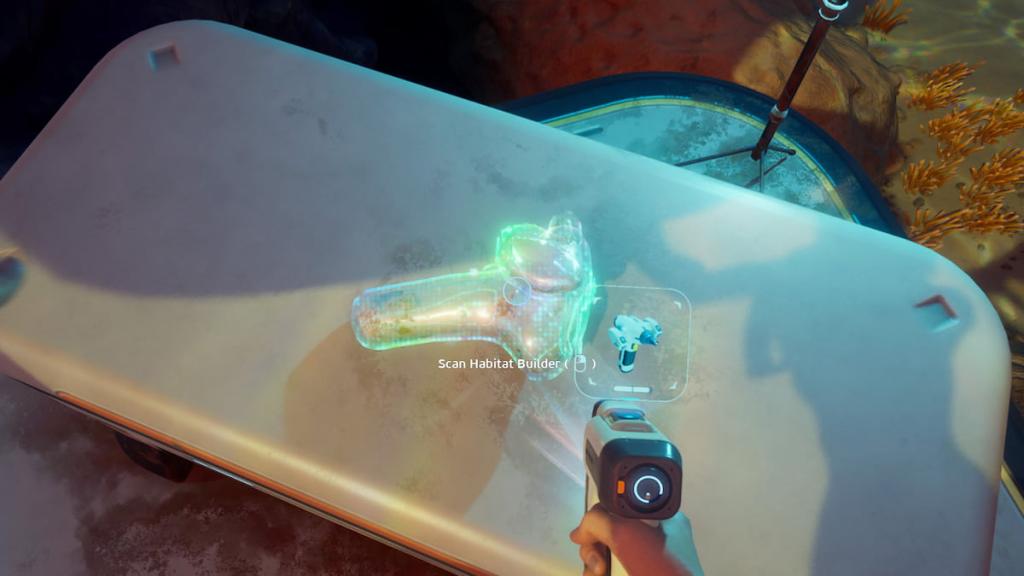 Screenshot by Destructoid You'll need the following materials to make the Habitat Builder tool:
- Titanium (2)
- Glass (1)
- Basic Battery (1)
- Copper Wire (1)
How to build a Fabricator
Once you build your Habitat Builder tool, you'll need to build a base, construct a Fabricator, and power it. Here's an easy way to accomplish this:- Open your Habitat Builder tool's menu and place a corridor anywhere that you'd like to build your base. Each corridor costs two titanium.
- Connect a hatch to the corridor using one titanium and one quartz.
- Build a Fabricator inside using one titanium, one copper, and one quartz.
- Build at least one solar panel using one titanium and two quartz. If it's nighttime, you may need to build a second panel.
The post How to get a fully functional Fabricator in Subnautica 2 appeared first on Destructoid.

Jat AI
Stay informed with the latest in artificial intelligence. Jat AI News Portal is your go-to source for AI trends, breakthroughs, and industry analysis. Connect with the community of technologists and business professionals shaping the future.