














How to Free Up Space for GTA 6 on PS5 and Xbox
GTA 6 is finally here. Vice City is waiting. And your console just told you there isn’t enough space. You’re not alone. GTA 6 needs over 210GB, and Rockstar has already pushed three updates since preload opened. If your storage is tight, every patch becomes a fight for space. The good news? Most people can clear enough room in under 10 minutes, without losing a single save file. Here’s the fastest way to make room on PS5 and Xbox, and what to buy if you’re still short. Table of contentsHow much space does GTA 6 actually need?How to free up space on PS5How to free up space on Xbox Series X|SStill not enough? Upgrade your storageMistakes to avoidFAQsHow much space does GTA 6 actually need? Rockstar says the game needs up to 212GB. The Xbox version is a little bigger, at around 225GB. Then there are the updates. GTA 6 has had three so far:UpdateReleasedPS5 sizeXbox size1.002.00013 November (preload)about 1GBabout 2.2GB1.002.001 (day-one patch)16 Novemberabout 600MBabout 1.6GB1.002.002 (latest)23 Novemberabout 600MBabout 1.6GB What the latest update fixes: crashes, weather that got stuck for long stretches, and autosaves that weren’t saving properly. If you’ve had any of those, make sure you’re on 1.002.002. On PS5 it’s rolling out in waves, so you might get it a little later than your friends. Our advice: keep at least 250GB free. That covers the game, the updates still to come, and the temporary space your console needs while it installs. Here’s how much room your console really has once system files take their share:ConsoleAdvertised storageUsable spaceRoom left after GTA 6PS5 (original)825GB667GB455GBPS5 Slim1TB842GB630GBPS5 Pro2TB1.89TBPlentyXbox Series X1TB802GB575GBXbox Series S512GB364GB140GB How to Free Up Space for GTA 6 on PS5 and Xbox Bottom line: if you’re on an original PS5 or an Xbox Series S, GTA 6 eats a huge chunk of your storage. Series S owners, this guide is especially for you. Still downloading? On a 100 Mbps home connection, the full game takes roughly five hours. Clear your space first so the download doesn’t stall halfway.How to free up space on PS5 Step 1: See what’s eating your storage Go to Settings > Storage > Console Storage. You’ll see a breakdown of games, media and system files. Tap Games and Apps and sort by size. The biggest offenders float to the top. Step 2: Delete the games you’ve finished or forgotten Select a game, press the Options button and choose Delete. Don’t panic. Your save files stay on the console, and you can download the game again anytime from your library. Quick wins: Call of Duty, NBA 2K and other big multiplayer titles can take 100GB or more each. One delete can do the whole job. Step 3: Clear your Media Gallery Every screenshot and auto-captured clip takes space, and GTA 6 is the kind of game you’ll want to clip constantly. Go to Media Gallery, select old videos and delete them in bulk. Heavy players often find 20GB to 50GB hiding here. Step 4: Park games on an external USB drive Got a USB hard drive lying around? Plug it in and move games there instead of deleting them.PS4 games can play straight from the USB drive.PS5 games can be stored there, but must be copied back to play. Still, copying back is much faster than downloading again. Step 5: Back up your saves (just in case) If you have PlayStation Plus, your saves can sync to the cloud. Go to Settings > Saved Data and Game/App Settings and switch on auto-sync. Now you can delete without a second thought.How to free up space on Xbox Series X|S Step 1: Open the storage manager Press the Xbox button, go to My games & apps > See all > Manage > Storage devices. You’ll see how much space is free and what’s using it. Step 2: Uninstall the big ones Highlight a game, press the Menu button and choose Uninstall. Your saves live in the Xbox cloud by default, so nothing is lost. Step 3: Trim, don’t delete This is the trick most people miss. Select a game, choose Manage game and add-ons, and uncheck parts you don’t use. Think extra languages, 4K texture packs or multiplayer modes you never touch. You keep the game and still win back space. Step 4: Move games to a USB drive Just like PS5, you can park games on an external drive.Xbox One and older games play straight from USB.Series X|S games can be stored there, but must move back to play. Step 5: Clear captures Go to Captures and delete old clips and screenshots. They’re usually backed up online anyway. Series S owners: with only around 364GB usable, GTA 6 takes more than half your console. Clear everything you’re not playing this month, or look at the upgrade options below. How to Free Up Space for GTA 6 on PS5 and Xbox Still not enough? Upgrade your storage If deleting feels like choosing between your children, it’s time to add more space. Both consoles let you add fast storage that plays games directly, with no copying back and forth.PS5: add an M.2 SSD Every PS5, including the Slim and Pro, has a spare slot for an extra SSD. It takes about 10 minutes and a small

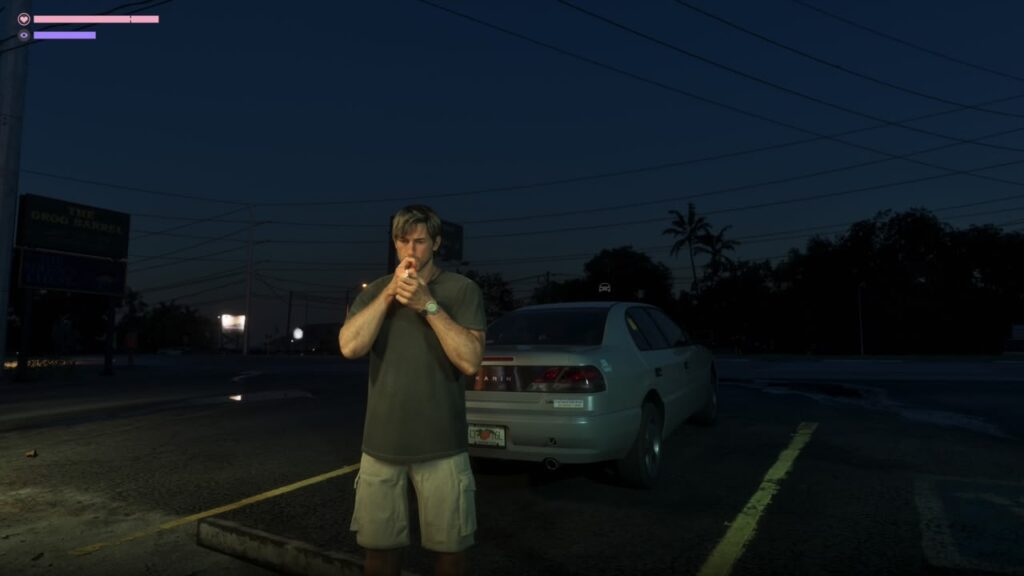
GTA 6 is finally here. Vice City is waiting. And your console just told you there isn’t enough space.
You’re not alone. GTA 6 needs over 210GB, and Rockstar has already pushed three updates since preload opened. If your storage is tight, every patch becomes a fight for space.
The good news? Most people can clear enough room in under 10 minutes, without losing a single save file.
Here’s the fastest way to make room on PS5 and Xbox, and what to buy if you’re still short.
Table of contents
Then there are the updates. GTA 6 has had three so far:
What the latest update fixes: crashes, weather that got stuck for long stretches, and autosaves that weren’t saving properly. If you’ve had any of those, make sure you’re on 1.002.002. On PS5 it’s rolling out in waves, so you might get it a little later than your friends.
Our advice: keep at least 250GB free. That covers the game, the updates still to come, and the temporary space your console needs while it installs.
Here’s how much room your console really has once system files take their share:
 How to Free Up Space for GTA 6 on PS5 and Xbox Bottom line: if you’re on an original PS5 or an Xbox Series S, GTA 6 eats a huge chunk of your storage. Series S owners, this guide is especially for you.
Still downloading? On a 100 Mbps home connection, the full game takes roughly five hours. Clear your space first so the download doesn’t stall halfway.
Go to Settings > Storage > Console Storage. You’ll see a breakdown of games, media and system files. Tap Games and Apps and sort by size. The biggest offenders float to the top.
Step 2: Delete the games you’ve finished or forgotten
Select a game, press the Options button and choose Delete. Don’t panic. Your save files stay on the console, and you can download the game again anytime from your library.
Quick wins: Call of Duty, NBA 2K and other big multiplayer titles can take 100GB or more each. One delete can do the whole job.
Step 3: Clear your Media Gallery
Every screenshot and auto-captured clip takes space, and GTA 6 is the kind of game you’ll want to clip constantly. Go to Media Gallery, select old videos and delete them in bulk. Heavy players often find 20GB to 50GB hiding here.
Step 4: Park games on an external USB drive
Got a USB hard drive lying around? Plug it in and move games there instead of deleting them.
If you have PlayStation Plus, your saves can sync to the cloud. Go to Settings > Saved Data and Game/App Settings and switch on auto-sync. Now you can delete without a second thought.
Press the Xbox button, go to My games & apps > See all > Manage > Storage devices. You’ll see how much space is free and what’s using it.
Step 2: Uninstall the big ones
Highlight a game, press the Menu button and choose Uninstall. Your saves live in the Xbox cloud by default, so nothing is lost.
Step 3: Trim, don’t delete
This is the trick most people miss. Select a game, choose Manage game and add-ons, and uncheck parts you don’t use. Think extra languages, 4K texture packs or multiplayer modes you never touch. You keep the game and still win back space.
Step 4: Move games to a USB drive
Just like PS5, you can park games on an external drive.
Go to Captures and delete old clips and screenshots. They’re usually backed up online anyway.
Series S owners: with only around 364GB usable, GTA 6 takes more than half your console. Clear everything you’re not playing this month, or look at the upgrade options below.
 How to Free Up Space for GTA 6 on PS5 and Xbox
What to look for:
The catch: you need an official Xbox expansion card. A regular SSD won’t work.
Still deciding which console to play GTA 6 on? Read our PS5 Pro vs Xbox Series X guide. And for more gaming news and deals, follow us on Instagram @gdgtme.
You’re not alone. GTA 6 needs over 210GB, and Rockstar has already pushed three updates since preload opened. If your storage is tight, every patch becomes a fight for space.
The good news? Most people can clear enough room in under 10 minutes, without losing a single save file.
Here’s the fastest way to make room on PS5 and Xbox, and what to buy if you’re still short.
Table of contents
- How much space does GTA 6 actually need?
- How to free up space on PS5
- How to free up space on Xbox Series X|S
- Still not enough? Upgrade your storage
- Mistakes to avoid
- FAQs
How much space does GTA 6 actually need?
Rockstar says the game needs up to 212GB. The Xbox version is a little bigger, at around 225GB.Then there are the updates. GTA 6 has had three so far:
Update
Released
PS5 size
Xbox size
1.002.000
13 November (preload)
about 1GB
about 2.2GB
1.002.001 (day-one patch)
16 November
about 600MB
about 1.6GB
1.002.002 (latest)
23 November
about 600MB
about 1.6GB
Our advice: keep at least 250GB free. That covers the game, the updates still to come, and the temporary space your console needs while it installs.
Here’s how much room your console really has once system files take their share:
Console
Advertised storage
Usable space
Room left after GTA 6
PS5 (original)
825GB
667GB
455GB
PS5 Slim
1TB
842GB
630GB
PS5 Pro
2TB
1.89TB
Plenty
Xbox Series X
1TB
802GB
575GB
Xbox Series S
512GB
364GB
140GB
How to Free Up Space for GTA 6 on PS5 and Xbox Bottom line: if you’re on an original PS5 or an Xbox Series S, GTA 6 eats a huge chunk of your storage. Series S owners, this guide is especially for you.Still downloading? On a 100 Mbps home connection, the full game takes roughly five hours. Clear your space first so the download doesn’t stall halfway.
How to free up space on PS5
Step 1: See what’s eating your storageGo to Settings > Storage > Console Storage. You’ll see a breakdown of games, media and system files. Tap Games and Apps and sort by size. The biggest offenders float to the top.
Step 2: Delete the games you’ve finished or forgotten
Select a game, press the Options button and choose Delete. Don’t panic. Your save files stay on the console, and you can download the game again anytime from your library.
Quick wins: Call of Duty, NBA 2K and other big multiplayer titles can take 100GB or more each. One delete can do the whole job.
Step 3: Clear your Media Gallery
Every screenshot and auto-captured clip takes space, and GTA 6 is the kind of game you’ll want to clip constantly. Go to Media Gallery, select old videos and delete them in bulk. Heavy players often find 20GB to 50GB hiding here.
Step 4: Park games on an external USB drive
Got a USB hard drive lying around? Plug it in and move games there instead of deleting them.
- PS4 games can play straight from the USB drive.
- PS5 games can be stored there, but must be copied back to play. Still, copying back is much faster than downloading again.
If you have PlayStation Plus, your saves can sync to the cloud. Go to Settings > Saved Data and Game/App Settings and switch on auto-sync. Now you can delete without a second thought.
How to free up space on Xbox Series X|S
Step 1: Open the storage managerPress the Xbox button, go to My games & apps > See all > Manage > Storage devices. You’ll see how much space is free and what’s using it.
Step 2: Uninstall the big ones
Highlight a game, press the Menu button and choose Uninstall. Your saves live in the Xbox cloud by default, so nothing is lost.
Step 3: Trim, don’t delete
This is the trick most people miss. Select a game, choose Manage game and add-ons, and uncheck parts you don’t use. Think extra languages, 4K texture packs or multiplayer modes you never touch. You keep the game and still win back space.
Step 4: Move games to a USB drive
Just like PS5, you can park games on an external drive.
- Xbox One and older games play straight from USB.
- Series X|S games can be stored there, but must move back to play.
Go to Captures and delete old clips and screenshots. They’re usually backed up online anyway.
Series S owners: with only around 364GB usable, GTA 6 takes more than half your console. Clear everything you’re not playing this month, or look at the upgrade options below.
How to Free Up Space for GTA 6 on PS5 and Xbox Still not enough? Upgrade your storage
If deleting feels like choosing between your children, it’s time to add more space. Both consoles let you add fast storage that plays games directly, with no copying back and forth.PS5: add an M.2 SSD
Every PS5, including the Slim and Pro, has a spare slot for an extra SSD. It takes about 10 minutes and a small screwdriver.What to look for:
- PCIe Gen4 M.2 SSD with read speeds of 5,500MB/s or higher
- A heatsink, to keep it cool during long sessions
- 1TB or 2TB, which is the sweet spot for price and space
- WD_BLACK SN850 for PS5 (2TB): around AED 1,199 on Amazon.ae. Officially licensed for PS5.
- WD_BLACK SN850X for PS5 (2TB): around AED 1,459 at Virgin Megastore. Faster, with a heatsink built in.
Xbox: plug in an expansion card
Xbox makes this even easier. The expansion card slots into the back of the console. No screwdriver, no setup.The catch: you need an official Xbox expansion card. A regular SSD won’t work.
- Seagate Storage Expansion Card (1TB): around AED 679 at Sharaf DG (down from AED 749)
Quick comparison
Option
Works on
Plays games directly?
Typical UAE price
USB hard drive
PS5 and Xbox
Older games only
Lowest cost
M.2 SSD (2TB)
PS5, PS5 Slim, PS5 Pro
Yes
AED 1,199 to AED 1,459
Expansion card (1TB)
Xbox Series X|S
Yes
from AED 679
Mistakes to avoid
- Clearing exactly 212GB. Updates need room too, and Rockstar has shipped three already. Give yourself a buffer.
- Deleting saved data. Delete the game, never the save. On PS5, skip anything under “Saved Data” unless it’s backed up.
- Buying any old SSD for Xbox. Only official expansion cards work. Check the box says “Xbox Series X|S”.
- Falling for “free GTA 6” or “PC version” downloads. GTA 6 is only on PS5 and Xbox right now. Anything else is fake. Only download from the PlayStation Store or Microsoft Store.
- Skipping updates. The latest patch fixes crashes and autosave bugs. Leave some space free so updates install without a fuss, and keep your console’s system software up to date too.
FAQs
How much space does GTA 6 need on PS5 and Xbox?
Up to 212GB, according to Rockstar, and slightly more on Xbox. Keep around 250GB free so updates have room.What’s the latest GTA 6 update?
Version 1.002.002, released on 23 November. It’s about 600MB on PS5 and 1.6GB on Xbox, and it fixes crashes, weather and autosave bugs.Can I play GTA 6 from an external USB hard drive?
No. You can store it there, but it must run from internal storage, an M.2 SSD on PS5, or an expansion card on Xbox.Will deleting a game delete my progress?
No. Saves stay on the console and, on Xbox, in the cloud. PS5 players with PlayStation Plus can back up to the cloud too.How much does GTA 6 cost in the UAE?
The Standard Edition is AED 299.16 on the UAE PlayStation Store, and the Ultimate Edition is AED 373.96.What’s the age rating for GTA 6 in the UAE?
21+. In the UAE, GTA 6 is rated for players aged 21 and over.Still deciding which console to play GTA 6 on? Read our PS5 Pro vs Xbox Series X guide. And for more gaming news and deals, follow us on Instagram @gdgtme.

Jat AI
Stay informed with the latest in artificial intelligence. Jat AI News Portal is your go-to source for AI trends, breakthroughs, and industry analysis. Connect with the community of technologists and business professionals shaping the future.